

Download Elgato 4K Capture Utility – Free 4K Screen Recording Software for Windows
Elgato 4K Capture Utility is a powerful, free screen recording tool designed for Windows users who demand high-resolution video capture. Whether you're a content creator, streamer, educator, or gamer, this software delivers crisp 4K footage with minimal effort. Developed by Elgato, a trusted name in streaming and content creation hardware, the utility ensures a seamless and secure experience.
With support for 4K resolution, low-latency recording, and an intuitive interface, it’s ideal for capturing gameplay, tutorials, presentations, or live streams. The software is lightweight, easy to install, and regularly updated to maintain compatibility with the latest Windows systems. No complex settings or steep learning curve—just fast, high-quality recording at your fingertips.
Effortless 4K Screen Recording with Professional Features
Elgato 4K Capture Utility stands out in the crowded field of screen capture tools by focusing on quality, simplicity, and performance. At its core, the software is engineered to record your screen in stunning 4K resolution, making it perfect for users who prioritize visual clarity. Whether you're recording a high-end gaming session, a detailed tutorial, or a professional presentation, the tool ensures every pixel is preserved with precision. One of its standout features is the low-latency capture engine, which minimizes input delay—crucial for real-time streaming or gameplay recording where timing matters.
The interface is refreshingly clean and user-friendly. After launching the app, you’re greeted with a minimal dashboard that lets you start recording with a single click. You can choose your recording area—full screen, specific window, or custom region—without navigating through multiple menus. The utility also supports real-time preview, so you can monitor your recording before saving. Additionally, it integrates smoothly with Elgato’s ecosystem, including their capture cards and Stream Deck devices, allowing for advanced control via hardware buttons.
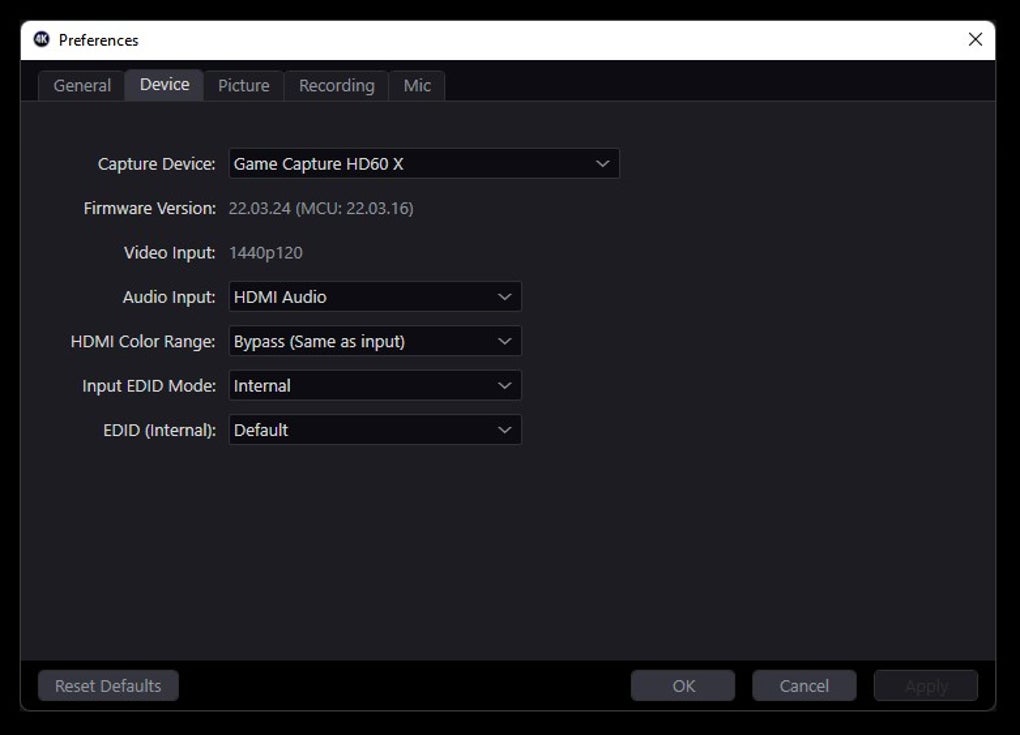
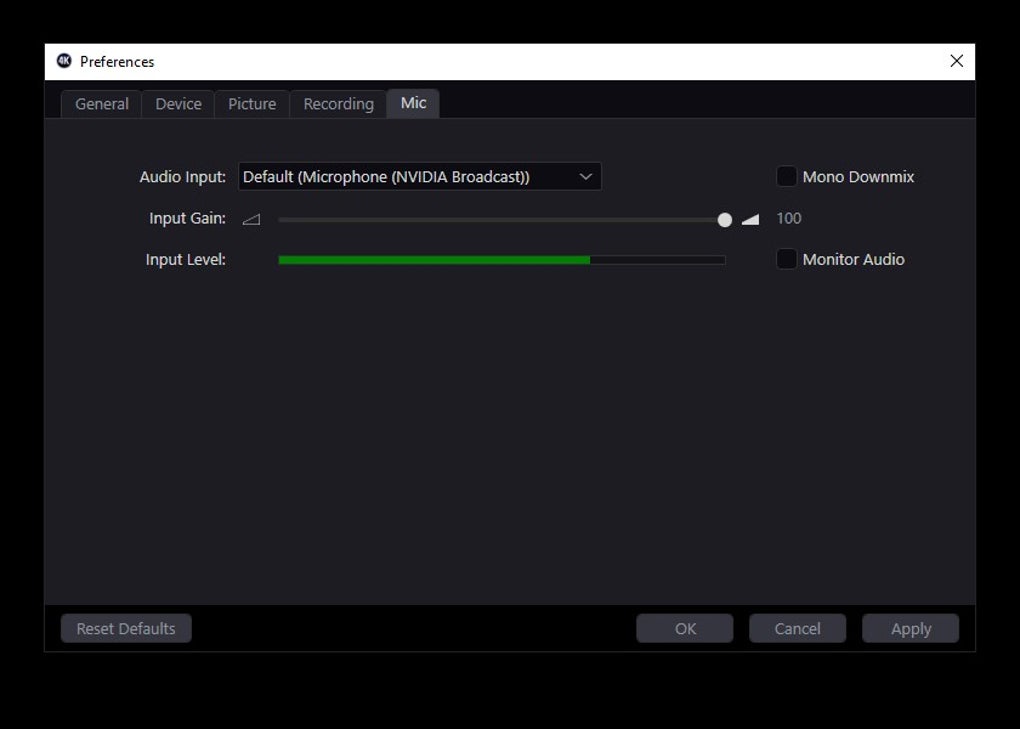
For users who want more control, the settings menu offers options to adjust frame rate (up to 60fps), audio input sources, and output format (MP4, MOV). The software automatically optimizes encoding to balance file size and quality, ensuring smooth performance even on mid-range systems. All recordings are saved to your chosen folder with clear naming conventions, reducing post-production clutter. With regular updates from Elgato, the software remains compatible with new Windows versions and maintains strong security standards.
Simple Installation, Seamless Usage on Windows Devices
Getting started with Elgato 4K Capture Utility is a breeze. The software is available for free download directly from Elgato’s official website, ensuring you receive a secure and verified version. The installation process is quick and straightforward—just download the .exe file, run it, and follow the on-screen prompts. No complex configurations or third-party dependencies are required, making it ideal for both beginners and experienced users.
Once installed, the app launches instantly and runs in the background without consuming excessive system resources. The main window displays a clean recording interface with a prominent “Record” button, a preview pane, and a few essential controls. To begin capturing, simply select your recording area, choose your audio source (system audio, microphone, or both), and click start. The recording begins immediately, and a small overlay shows the elapsed time and recording status.
Stopping the recording is equally simple—just click the stop button or use a keyboard shortcut (default: Ctrl+Shift+R). The software then processes the file and saves it to your designated folder. You can also set up custom recording profiles for different use cases, such as gaming, streaming, or screen tutorials. The app supports batch recording and auto-naming, which is helpful for users who record multiple sessions daily.
For those using Elgato hardware, the integration is seamless. The utility automatically detects connected Elgato capture devices, enabling synchronized recording and enhanced control. This makes it a must-have tool for anyone building a professional streaming setup. Regular updates ensure bug fixes, performance improvements, and new features, keeping the software future-proof and reliable.
Compatibility & System Requirements for Smooth Performance
Elgato 4K Capture Utility is designed specifically for Windows operating systems, with full support for Windows 10 and Windows 11 (64-bit). It is optimized for modern hardware, including systems with Intel Core i5 or higher processors, 8GB of RAM (16GB recommended), and dedicated graphics cards for smooth 4K rendering. While it can run on systems with integrated graphics, performance may vary depending on workload and screen resolution.
The software does not support Mac, Android, or iOS devices, so users on non-Windows platforms will need to explore alternative solutions. However, Elgato does offer compatible tools for Mac users, such as Elgato Game Capture HD60 S, which pairs with their desktop software suite. For Windows users, the utility is compatible with a wide range of screen capture hardware, including Elgato 4K60 Pro, HD60 X, and other HDMI capture devices.
Additionally, the app works well with various display setups, including dual monitors and high-DPI screens. It supports HDR content capture when paired with compatible hardware and displays, ensuring that color accuracy and contrast are preserved. The software also integrates with Windows’ built-in audio systems, allowing you to capture system audio, microphone input, or both simultaneously.
Security is a priority—Elgato ensures all downloads are digitally signed and scanned for malware. The app runs with standard user permissions and does not require admin rights to operate, making it safe for corporate or school environments. With its lightweight footprint and efficient resource management, Elgato 4K Capture Utility delivers top-tier performance without slowing down your system.
Pros and Cons: Is Elgato 4K Capture Utility Right for You?
- Pros:
- Free to download and use with no watermarks
- Supports 4K resolution recording at up to 60fps
- Low-latency capture for real-time streaming and gameplay
- Simple, intuitive interface suitable for beginners
- Seamless integration with Elgato hardware and Stream Deck
- Regular updates and strong developer support
- Lightweight with minimal system resource usage
- Supports HDR and high-DPI displays
- Cons:
- Windows-only—no Mac, iOS, or Android support
- Limited advanced editing features (focused on capture, not post-production)
- No built-in video editing tools
- Requires compatible capture hardware for full functionality
- File size can be large due to high resolution and quality
Frequently Asked Questions (FAQ)
- Is Elgato 4K Capture Utility free to download?
- Yes, Elgato 4K Capture Utility is completely free to download and use. There are no hidden fees, watermarks, or subscription models. You can use it indefinitely for personal and professional projects.
- What operating systems does it support?
- Elgato 4K Capture Utility is compatible with Windows 10 and Windows 11 (64-bit only). It does not support Mac, Android, or iOS devices.
- Can I record in 4K resolution?
- Yes, the software is specifically designed for 4K capture. It supports recording in 4K resolution at up to 60fps, ideal for high-quality content creation.
- Does it work with Elgato capture cards?
- Yes, Elgato 4K Capture Utility is optimized for use with Elgato capture devices like the 4K60 Pro and HD60 X. It enables synchronized recording and advanced control via Stream Deck.
- Do I need a powerful PC to run it?
- While a powerful PC improves performance, the software is lightweight and runs well on systems with Intel Core i5 or higher, 8GB RAM, and a dedicated GPU. Integrated graphics may work but with reduced efficiency.
Final Verdict: A Top Choice for 4K Screen Capture on Windows
Elgato 4K Capture Utility delivers exceptional value as a free, high-performance screen recording tool for Windows users. Its ability to capture 4K video with low latency, combined with a clean interface and seamless hardware integration, makes it a standout in its category. Whether you're a streamer, educator, or content creator, this software provides the tools you need to produce professional-grade recordings without complexity.
While it lacks support for non-Windows platforms and advanced editing features, its core purpose—high-quality capture—is executed flawlessly. For users invested in the Elgato ecosystem, it’s an essential companion. With regular updates, strong security, and zero cost, it’s a smart choice for anyone serious about screen recording.
Download Elgato 4K Capture Utility today and experience flawless 4K recording on your Windows PC—free, secure, and ready to use.







